Hi All,
Long time RPG maker user however new to RPG Maker MV.
I have spent the last 2 weeks doing online java script tutorial at code academy and watching you tube videos to learn java script. I am still very new to the whole language so i am unsure of what can be achieved and what cannot not be achieved.
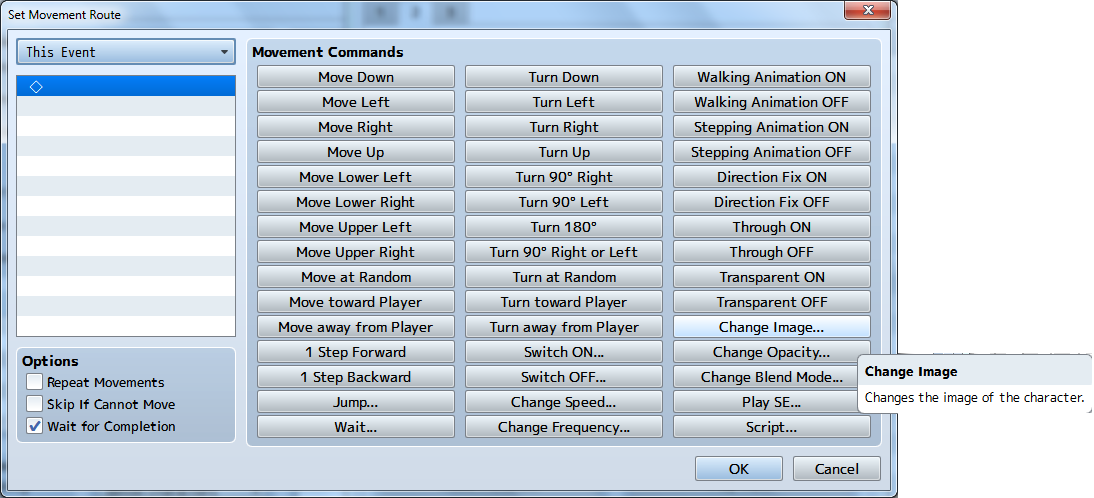
As the heading suggests, i am trying to find a way to change an event image without using a switch, variable or second page.
I am pretty sure this cannot be achieved though standard eventing, so i have turned to javascript.
The reason i am trying to do this is that i noticed that an event can only have 20 event pages in MV, which will not be enough for the event(s) and system i am trying to create.
If anyone can point me in the right direction for the command that will allow me to change an event image via javascript, that would be great
Thanks in advance
AD
Long time RPG maker user however new to RPG Maker MV.
I have spent the last 2 weeks doing online java script tutorial at code academy and watching you tube videos to learn java script. I am still very new to the whole language so i am unsure of what can be achieved and what cannot not be achieved.
As the heading suggests, i am trying to find a way to change an event image without using a switch, variable or second page.
I am pretty sure this cannot be achieved though standard eventing, so i have turned to javascript.
The reason i am trying to do this is that i noticed that an event can only have 20 event pages in MV, which will not be enough for the event(s) and system i am trying to create.
If anyone can point me in the right direction for the command that will allow me to change an event image via javascript, that would be great
Thanks in advance
AD